
Ambiense
  • Home
  • Knowledge Base
  • Submit A Ticket

Knowledge Base

Home/Knowledge Base/Frequently Asked Questions/How to set the logo?

How to set the logo?

  • Created April 24, 2015
  • Author admin
  • Category Frequently Asked Questions

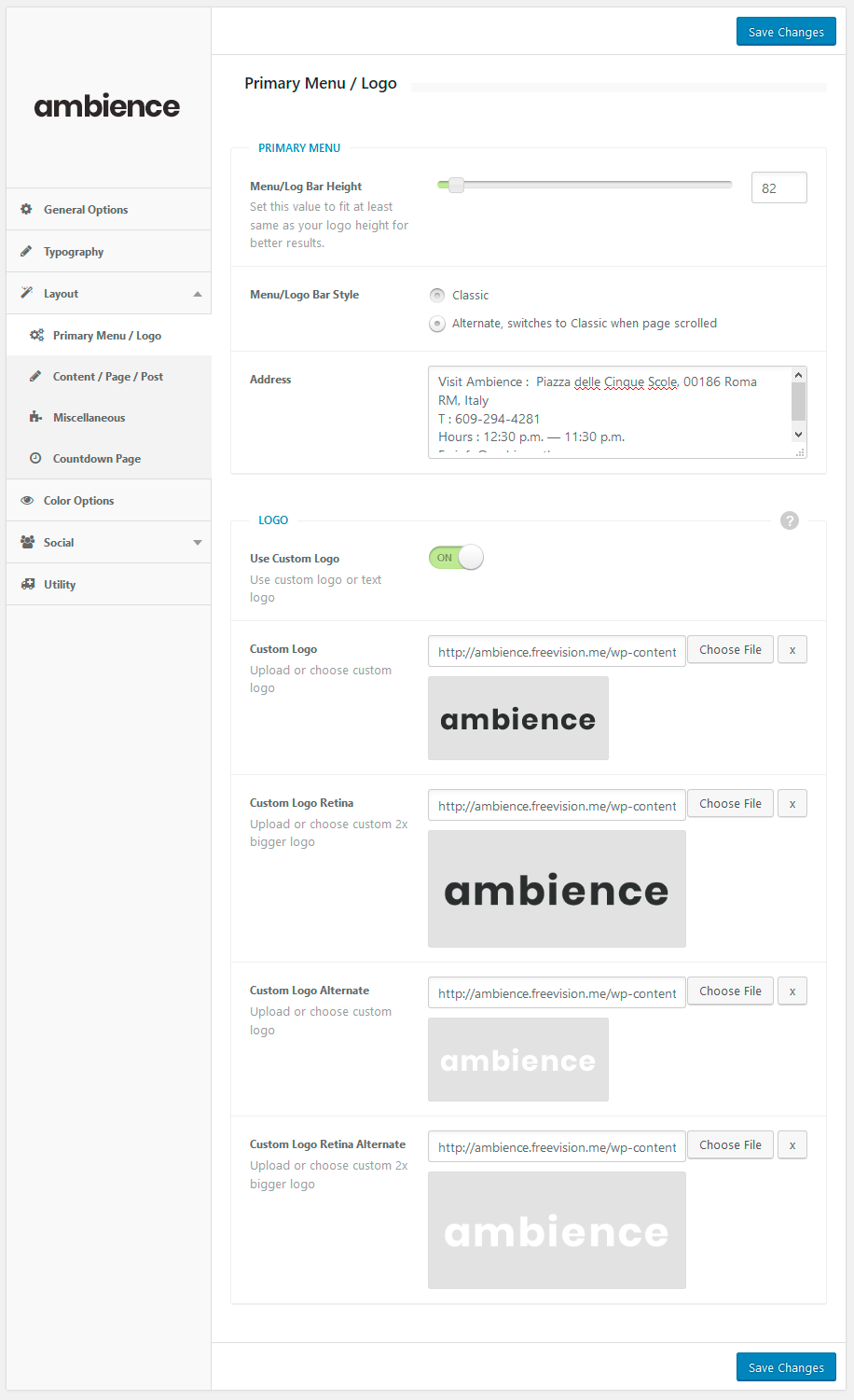
Our Theme Options allows you to use image or text logo. You can set your logo from the Appearance > Theme Options > Layout > Primary Menu / Logo (screenshot attached).

Please make sure you’ve added retina sized logo for a proper appearance on mobile devices!
Tagged: custom logo

Related Articles

  • Scroll Drawing PSD Template
  • How to Create Image with Parallax Featured Content
  • How to Create a Food Menu by Using Menu Card
  • How to add Velo Slider?
  • WPML Plugin For Multilingual Content
  • Using the OpenTable Block
  • Scroll Drawing PSD Template
  • How to Create Image with Parallax Featured Content
  • How to Create a Food Menu by Using Menu Card
  • How to add Velo Slider?
  • WPML Plugin For Multilingual Content
  • Using the OpenTable Block
  • Installation & Demo Data
  • Twitter Widget
  • Facebook Widget
  • Overlap Caption
  • 1Admin Panel Screenshots
  • 57Frequently Asked Questions
  • 23Getting Started
  • 1Plugins
  • 5Shortcodes
  • 1Video Tutorials
  • 3Widgets
© Copyright FreeVision Themes.