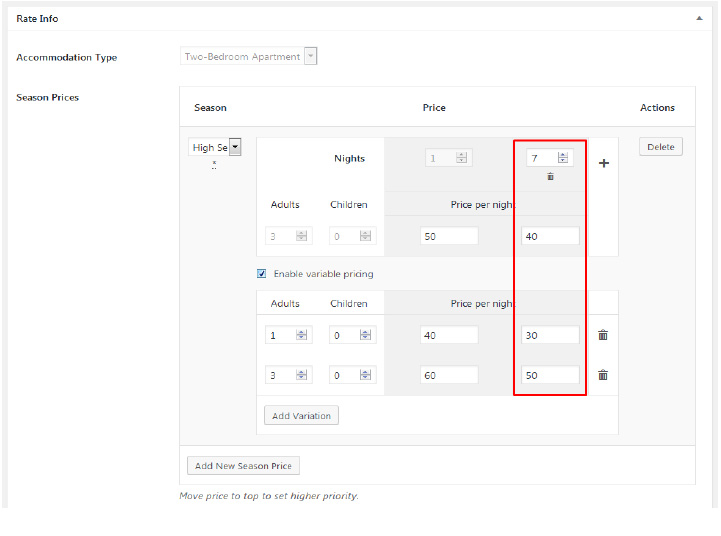
Since version 2.7.5, you can set up different per night rates if a booking is placed for certain
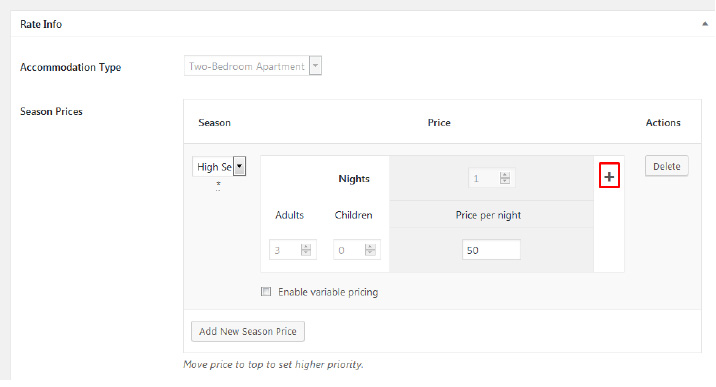
number of night or more. To add these variations, go to Accommodation > Rates > Select a rate
you want to edit or add new. To add variations based on the number of booked dates click +:
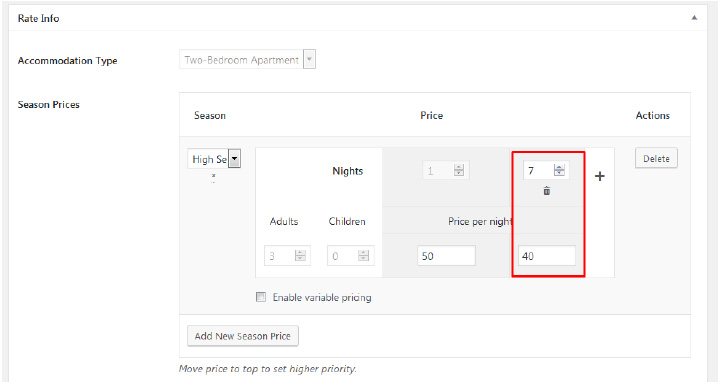
And define the number of nights needed in a booking for the new rate to apply. For example, the
following set up means that if a booking is placed for 7 or more nights, the total price will be
counted as 40 per night:
There is no limitation to the number of days or variations that you can add here. These rules can
be also combined with the per person rates if you tick Enable Variable Pricing: