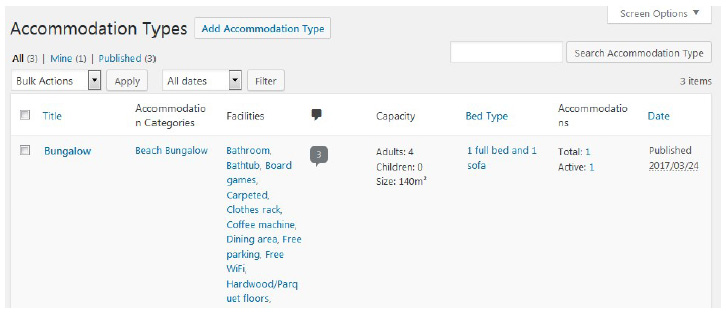
can have a double room “Accommodation type” and 10 real “Accommodations” of this
type).
Go to Accommodation → Accommodation types → Add Accommodation Type.
- Add title, description and a short description (excerpt).
- Add total accommodation capacity (size, maximum number of adults and children).
- Add view ( e.g. seaside, city view ) and bed types in this accommodation type.
- Add bed types – you’ll be redirected to Settings menu , where you’ll need to specify your
bed types > click Add Bed Type button > scroll down and save changes.
- Tick “allow comments” if you want to enable comments under the accommodation types.
- Select services that your hotel can provide for this accommodation type.
- Add accommodation Amenities and categories right from this menu or go to add new
ones (from Accommodation → Categories / Amenities).
- Add photo gallery and featured image if needed.
- Publish the changes.
If you have many real rooms of this accommodation type, you can simply generate the needed
number of them while staying in this menu: click Generate accommodation under description
field.
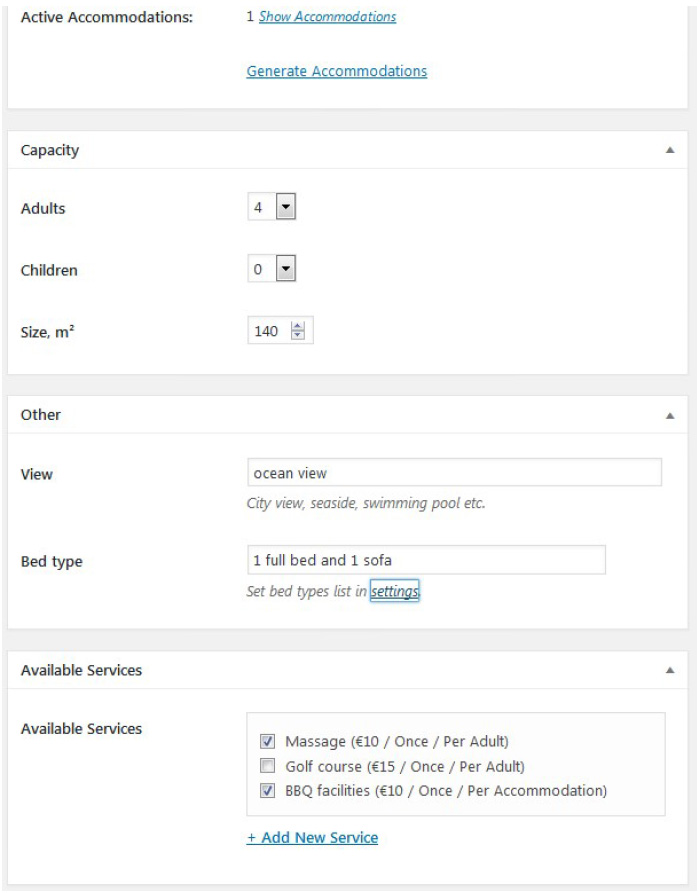
Here is an example of accommodation types listed on the dashboard: