Menu Settings
Create Menus and manage their locations from this area of the WordPress Live customizer.
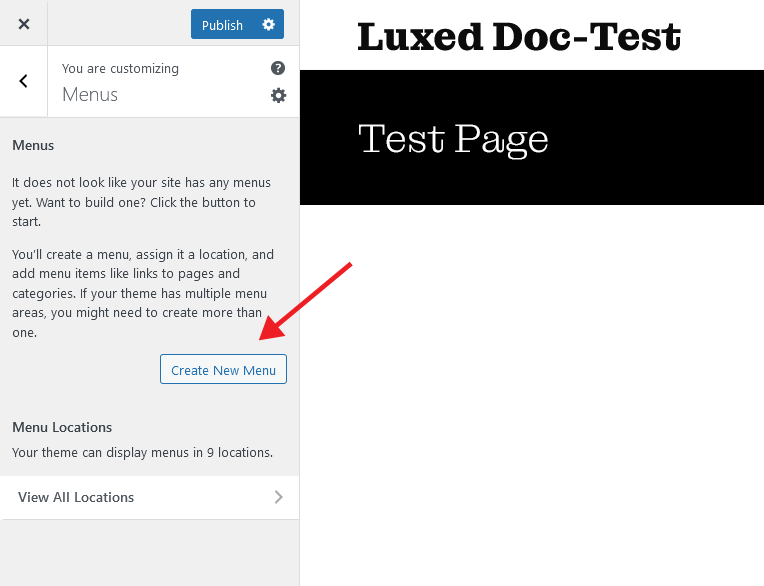
Custom Menus
Our themes display all static pages in the theme navigation by default. If you want an individual navigation you can use the Custom Menu WordPress feature described below.
Create a menu
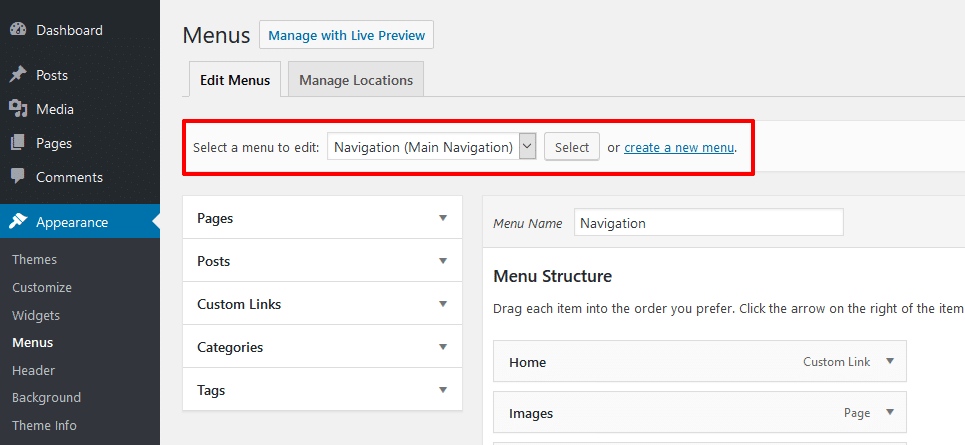
You can find the Custom Menu feature on Appearance → Menus in your WordPress backend.
You can select a menu to edit it or create a new menu at the top of the Menus screen.
Add items to your menu
After you have created your menu you can add items to it on the left side of the Menus screen. Therefore select a page, post or category and click the Add to menu button.
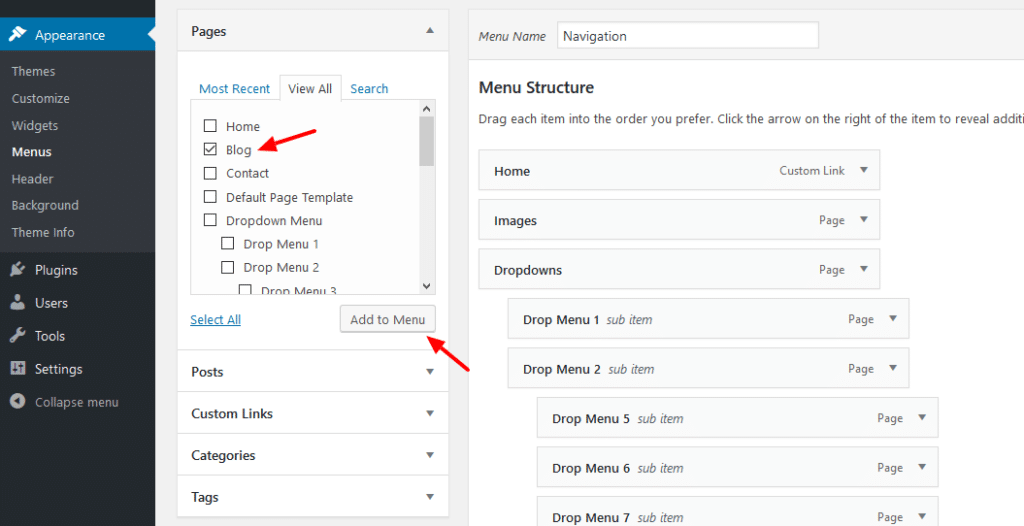
By default you can add static pages, custom links and categories to your menu. You can use the Screen Options to allow more item types to be chosen from.
Nesting menu items
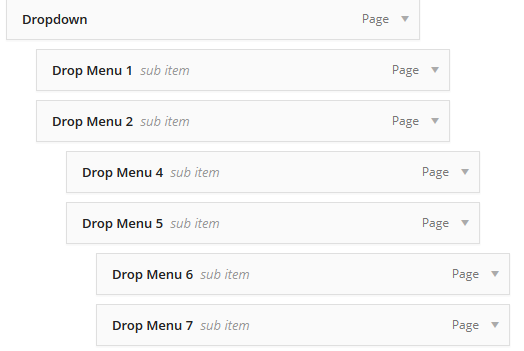
You can nest your menu items via drag&drop. Nested items are shown as dropdown navigation in the theme. Our themes usually support dropdown menus up to 3 levels deep.